
How to Change Your Voicemail Greeting
You can easily review or update your voicemail greeting directly from your eConsole Portal dashboard. Follow the steps below:
Step 1: Open Messages
From the left-hand navigation menu, click Messages.

Step 2: Go to Settings
Within the Messages section, click Settings.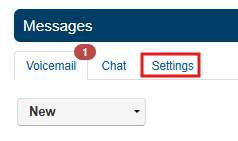
Step 3: Access Greetings
Locate the Greetings section and click the Manage icon.

Step 4: Edit Your Greeting
Find the greeting you want to update and click Edit.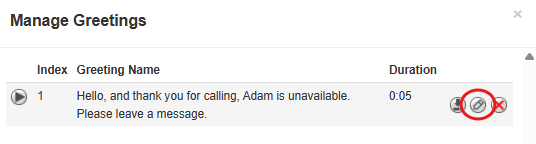
Step 5: Choose How to Update Your Greeting
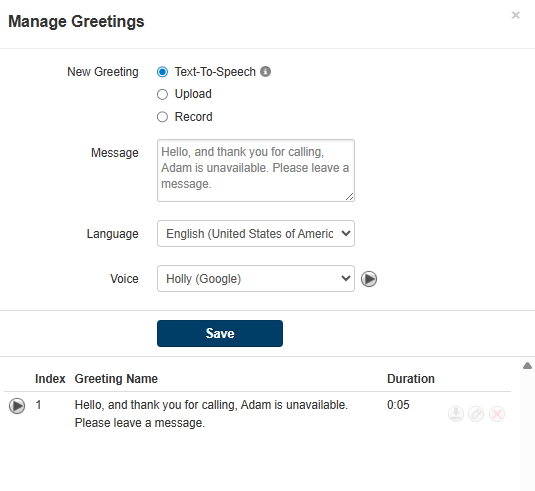
Step 6: Save Your Changes
After making your updates, click Save to apply your new voicemail greeting.